> ## Documentation Index
> Fetch the complete documentation index at: https://developer.z-api.io/llms.txt
> Use this file to discover all available pages before exploring further.
# Send PIX button
> Send a message with a PIX key and copy button
## Overview
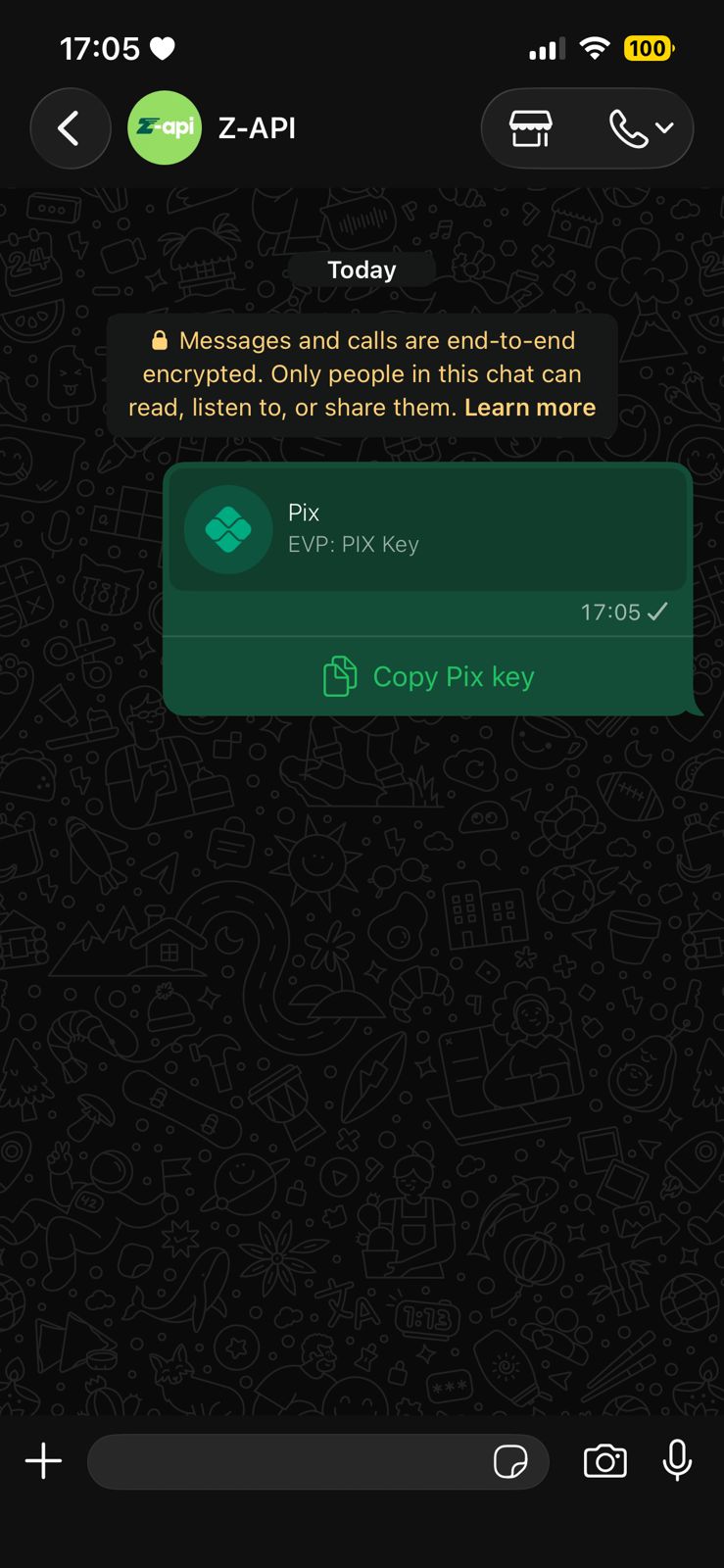
With this method you can send PIX key messages with a copy button.
Button sending is currently available, but there are some decisive factors for it to work. For more details check the [Button Status](/en/tips/button-status) topic.
PIX messages received on WhatsApp Web don't change the chat state — they don't mark as unread or move to the top of the list. Messages render normally. This is a WhatsApp Web bug.
#### Example on WhatsApp
***
## Attributes
### Header
Your instance ID. Available in the Z-API panel under **Instances**.
Your Z-API instance token.
### Required
Recipient's phone number (or group ID for group messages) in DDI DDD NUMBER format. E.g.: 551199999999
PIX key
Key type: `CPF`, `CNPJ`, `PHONE`, `EMAIL` or `EVP`
### Optional
Button title (default: "Pix")
***
## Request Body
```json theme={"theme":{"light":"github-light","dark":"poimandres"}}
{
"phone": "551199999999",
"pixKey": "pix key",
"type": "EVP"
}
```
***
## Response
### 200
```json theme={"theme":{"light":"github-light","dark":"poimandres"}}
{
"zaapId": "3999984263738042930CD6ECDE9VDWSA",
"messageId": "D241XXXX732339502B68",
"id": "D241XXXX732339502B68"
}
```
### 405
Make sure you are correctly sending the method specification, that is, verify that you sent POST or GET as specified at the beginning of this topic.
### 415
If you receive a 415 error, make sure to add the "Content-Type" header to your request, which in most cases is "application/json".