> ## Documentation Index
> Fetch the complete documentation index at: https://developer.z-api.io/llms.txt
> Use this file to discover all available pages before exploring further.
# Send carousel
> Send a carousel message with images, text and action buttons
## Overview
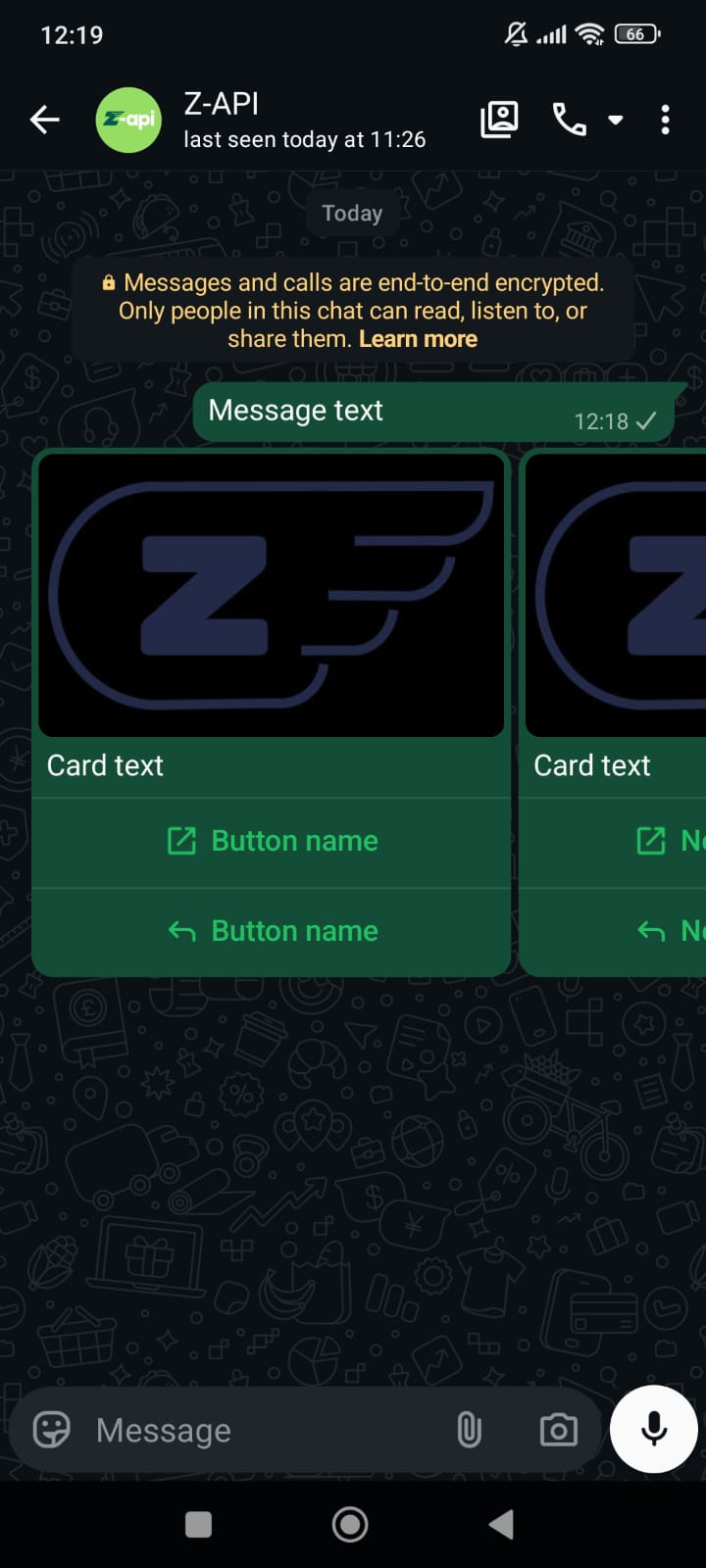
With this method you can send carousel messages with images, text and action buttons. From the action buttons, you can redirect to links, make calls, and also provide standard responses.
#### Example on WhatsApp
***
## Attributes
### Header
Your instance ID. Available in the Z-API panel under **Instances**.
Your Z-API instance token.
### Required
Recipient's phone number (or group ID for group messages) in DDI DDD NUMBER format. E.g.: 551199999999
Message text
Array of carousel cards
Card text
Card image URL
Array of action buttons
Button identifier
Text displayed on the button
Button type: `CALL`, `URL` or `REPLY`
Link URL (for URL type)
Phone number (for CALL type)
### Optional
Delay added to the message. You can choose between a range of 1 to 15 sec, meaning how many seconds it will wait before sending the next message. (E.g.: "delayMessage": 5). The default delay if not provided is 1 to 3 sec
***
## Request Body
```json theme={"theme":{"light":"github-light","dark":"poimandres"}}
{
"phone": "551199999999",
"message": "Message text",
"carousel": [
{
"text": "Card text",
"image": "https://firebasestorage.googleapis.com/v0/b/zaap-messenger-web.appspot.com/o/logo.png?alt=media",
"buttons": [
{
"id": "1",
"label": "Button name",
"url": "https://z-api.io",
"type": "URL"
},
{
"id": "2",
"label": "Button name",
"type": "REPLY"
}
]
},
{
"text": "Card text",
"image": "https://firebasestorage.googleapis.com/v0/b/zaap-messenger-web.appspot.com/o/logo.png?alt=media",
"buttons": [
{
"id": "1",
"label": "Button name",
"url": "https://z-api.io",
"type": "URL"
},
{
"id": "2",
"label": "Button name",
"type": "REPLY"
}
]
}
]
}
```
***
## Response
### 200
```json theme={"theme":{"light":"github-light","dark":"poimandres"}}
{
"zaapId": "3999984263738042930CD6ECDE9VDWSA",
"messageId": "D241XXXX732339502B68",
"id": "D241XXXX732339502B68"
}
```
### 405
Make sure you are correctly sending the method specification, that is, verify that you sent POST or GET as specified at the beginning of this topic.
### 415
If you receive a 415 error, make sure to add the "Content-Type" header to your request, which in most cases is "application/json".