> ## Documentation Index
> Fetch the complete documentation index at: https://developer.z-api.io/llms.txt
> Use this file to discover all available pages before exploring further.
# Edit event
> Edit an existing event in a group
## Overview
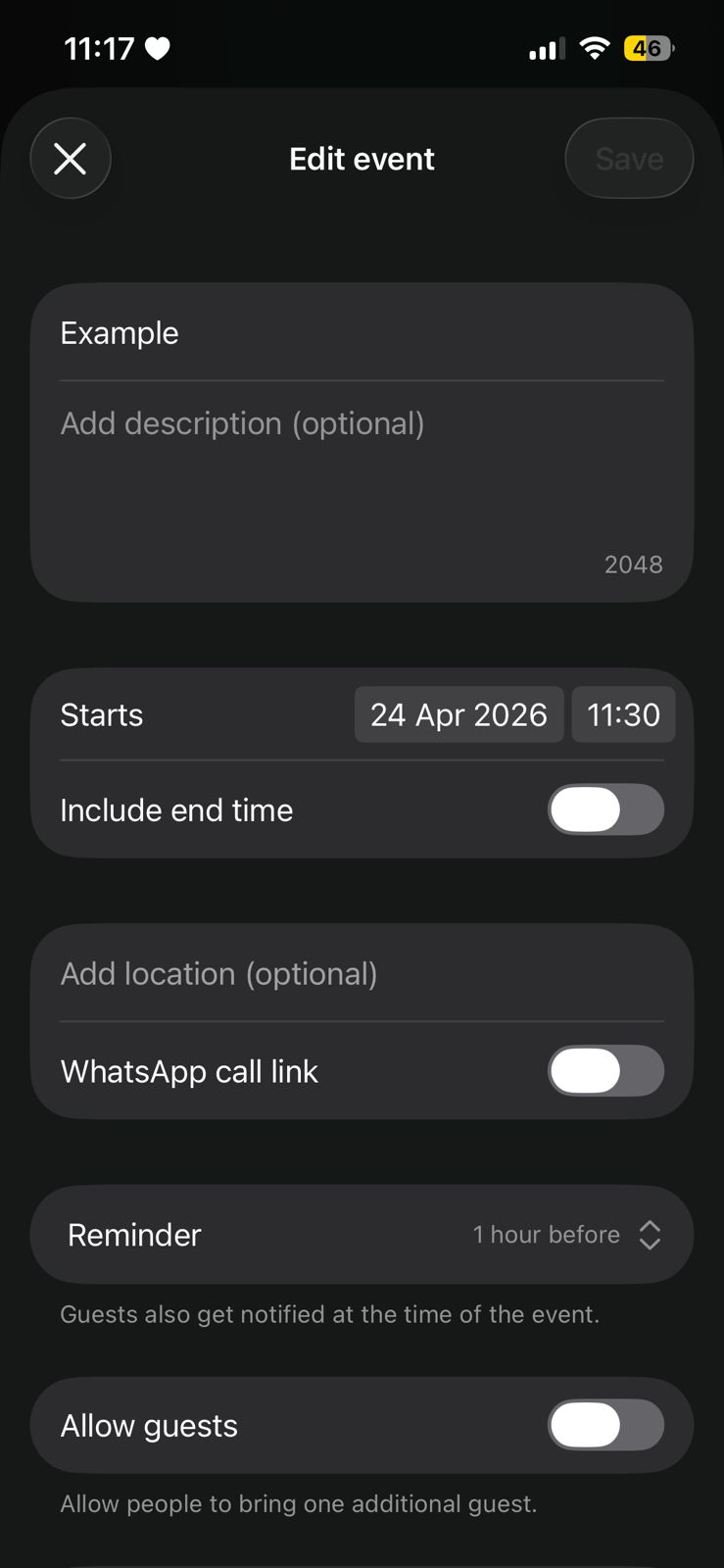
With this method you can send event edit messages.
To edit the event, you must resend all data that is already configured in the event, even if they have no changes.
#### Example on WhatsApp
***
## Attributes
### Header
Your instance ID. Available in the Z-API panel under **Instances**.
Your Z-API instance token.
### Required
Recipient group ID
Original event message ID
Event data
Event name
Event date and time (without timezone)
Event description
Event location
Place name
Event call type: `voice` or `video`
Whether the event is canceled
***
## Request Body
```json theme={"theme":{"light":"github-light","dark":"poimandres"}}
{
"phone": "120363019502650977-group",
"eventMessageId": "3EB058359730B7C2895C55",
"event": {
"name": "New event name",
"description": "Event description",
"dateTime": "2024-04-29T09:30:53.309Z",
"location": {
"name": "Place name"
},
"callLinkType": "voice",
"canceled": false
}
}
```
***
## Response
### 200
```json theme={"theme":{"light":"github-light","dark":"poimandres"}}
{
"zaapId": "3999984263738042930CD6ECDE9VDWSA",
"messageId": "D241XXXX732339502B68",
"id": "D241XXXX732339502B68"
}
```
### 405
Make sure you are correctly sending the method specification, that is, verify that you sent POST or GET as specified at the beginning of this topic.
### 415
If you receive a 415 error, make sure to add the "Content-Type" header to your request, which in most cases is "application/json".