> ## Documentation Index
> Fetch the complete documentation index at: https://developer.z-api.io/llms.txt
> Use this file to discover all available pages before exploring further.
# Send order
> Send an order message with catalog or custom products
## Overview
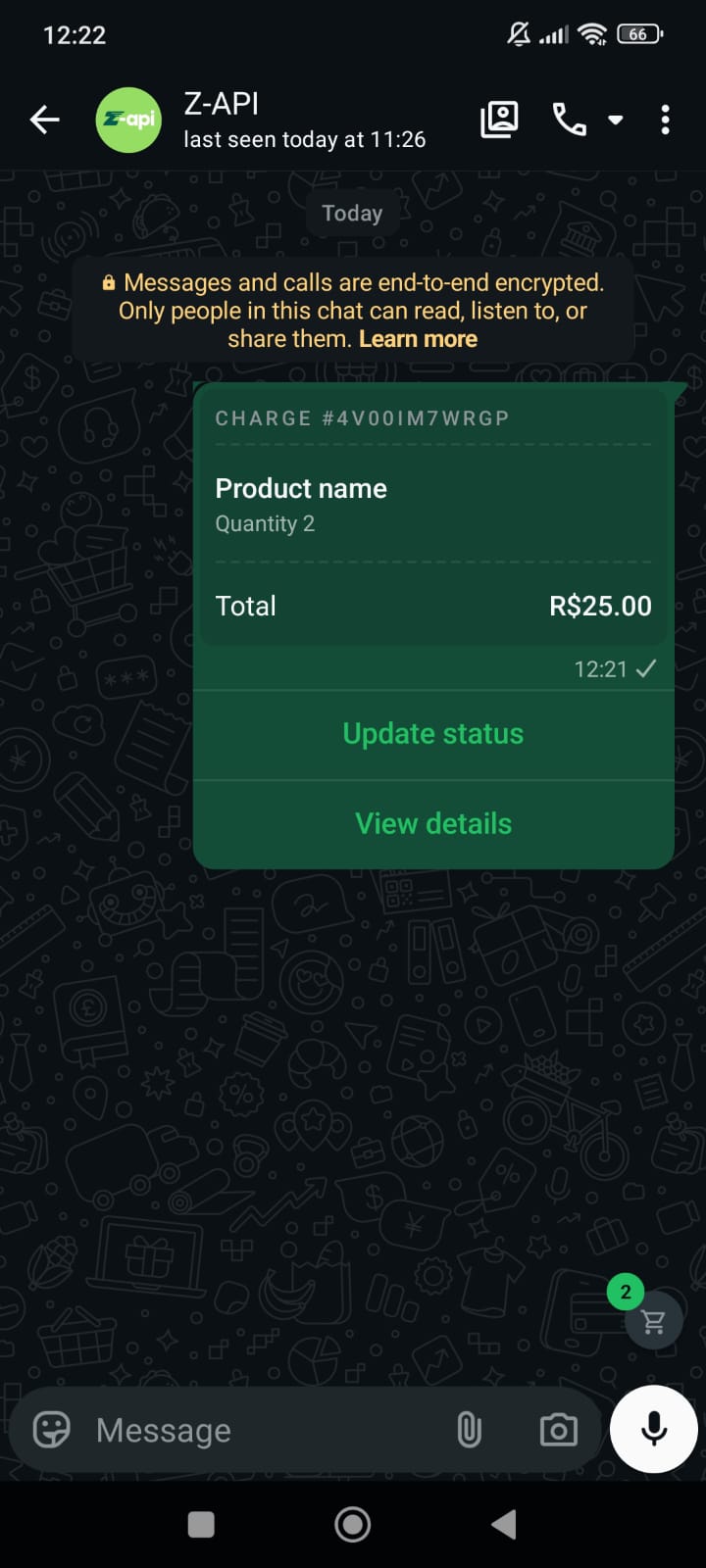
With this method you can send order messages, containing products from your catalog or customized at the time of sending. This message is the same as the one sent when you click the "Accept order" or "Send invoice" button.
Available only for WhatsApp **business** accounts. Products without `productId` are treated as custom items.
#### Example on WhatsApp
***
## Attributes
### Header
Your instance ID. Available in the Z-API panel under **Instances**.
Your Z-API instance token.
### Required
Recipient's phone number in DDI DDD NUMBER format. E.g.: 551199999999
Order data
Currency code (e.g.: BRL)
Product information related to the order
Product name
Product value
Quantity
Catalog product ID
Discount amount
Tax amount
Shipping amount
### Optional
Payment settings
PIX settings
PIX key
Key type: `cpf`, `cnpj`, `phone`, `email` or `randomKey`
Key name
Card settings
Enable card payment
***
## Request Body
**With catalog products and payment:**
```json theme={"theme":{"light":"github-light","dark":"poimandres"}}
{
"phone": "554499999999",
"order": {
"currency": "BRL",
"discount": 10,
"tax": 10,
"shipping": 5,
"products": [
{
"productId": "23940797548900636",
"name": "Product name",
"value": 10,
"quantity": 2
}
]
},
"paymentSettings": {
"pix": {
"key": "PIX Key",
"keyType": "cpf",
"name": "Key name"
},
"card": {
"enabled": true
}
}
}
```
**Required fields only (custom product):**
```json theme={"theme":{"light":"github-light","dark":"poimandres"}}
{
"phone": "554499999999",
"order": {
"currency": "BRL",
"products": [
{
"name": "Product name",
"value": 150,
"quantity": 1
}
]
}
}
```
***
## Response
### 200
```json theme={"theme":{"light":"github-light","dark":"poimandres"}}
{
"zaapId": "3999984263738042930CD6ECDE9VDWSA",
"messageId": "D241XXXX732339502B68",
"id": "D241XXXX732339502B68"
}
```
### 405
Make sure you are correctly sending the method specification, that is, verify that you sent POST or GET as specified at the beginning of this topic.
### 415
If you receive a 415 error, make sure to add the "Content-Type" header to your request, which in most cases is "application/json".