> ## Documentation Index
> Fetch the complete documentation index at: https://developer.z-api.io/llms.txt
> Use this file to discover all available pages before exploring further.
# Send PTV
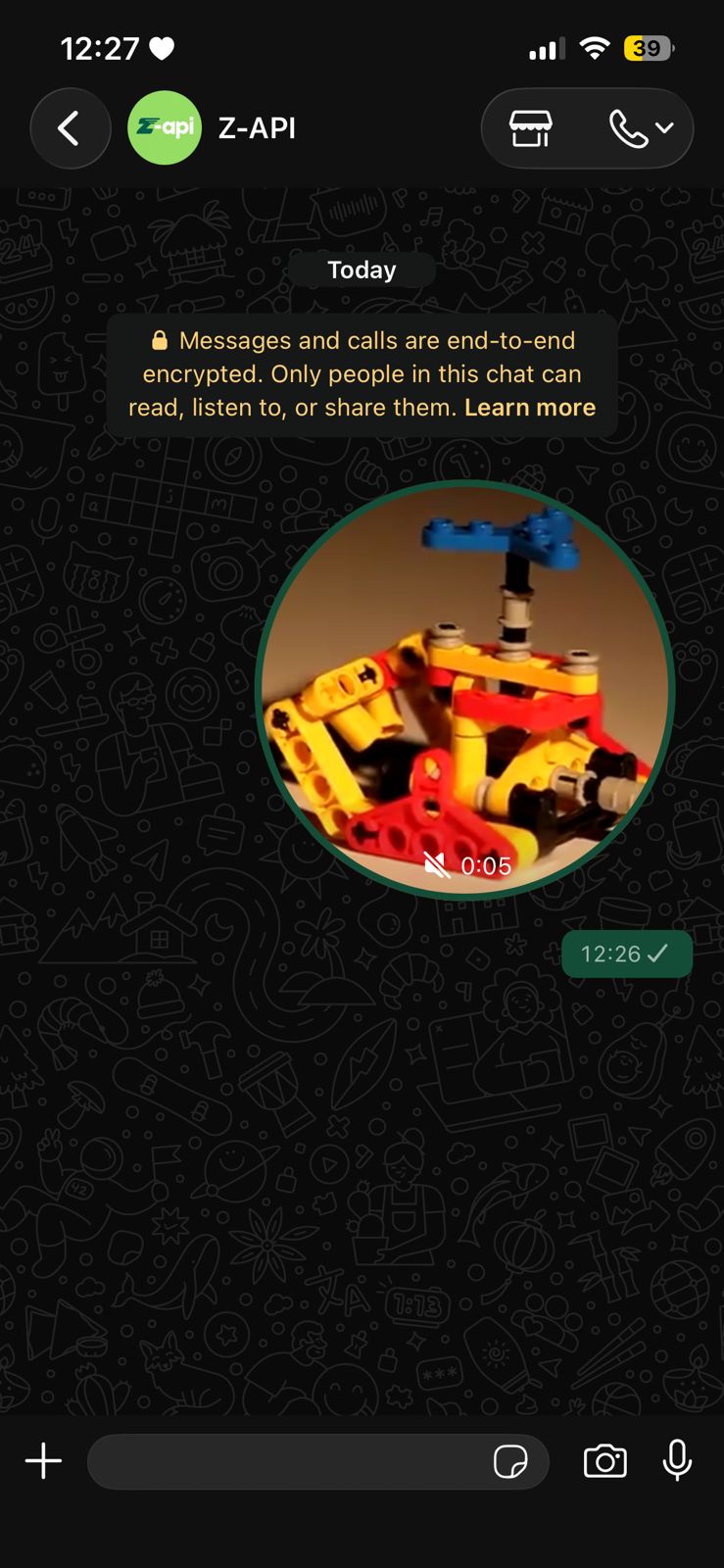
> Send a circular video (PTV) to a contact or group on WhatsApp
## Overview
Method responsible for sending PTV (Pre-Recorded Transfer Video) to your chats. You can work with videos in 2 ways:
* **By Link**: if you have the video hosted somewhere on the internet, just send the link;
* **By Base64**: if you want to send the video in Base64 format.
#### Example on WhatsApp
***
## Attributes
### Header
Your instance ID. Available in the Z-API panel under **Instances**.
Your Z-API instance token.
### Required
Recipient's phone number (or group ID for group messages) in DDI DDD NUMBER format. E.g.: 551199999999
Video link or Base64
### Optional
Attribute used to reply to a chat message, just add the messageId of the message you want to reply to
Delay added to the message. You can choose between a range of 1 to 15 sec, meaning how many seconds it will wait before sending the next message. (E.g.: "delayMessage": 5). The default delay if not provided is 1 to 3 sec
***
## Request Body
**By link:**
```json theme={"theme":{"light":"github-light","dark":"poimandres"}}
{
"phone": "5511999999999",
"ptv": "https://example.com/video.mp4"
}
```
**By Base64:**
```json theme={"theme":{"light":"github-light","dark":"poimandres"}}
{
"phone": "5511999999999",
"ptv": "data:video/mp4;base64,AAYXJ0eKEF..."
}
```
***
## Response
### 200
```json theme={"theme":{"light":"github-light","dark":"poimandres"}}
{
"zaapId": "3999984263738042930CD6ECDE9VDWSA",
"messageId": "D241XXXX732339502B68",
"id": "D241XXXX732339502B68"
}
```
### 405
Make sure you are correctly sending the method specification, that is, verify that you sent POST or GET as specified at the beginning of this topic.
### 415
If you receive a 415 error, make sure to add the "Content-Type" header to your request, which in most cases is "application/json".